
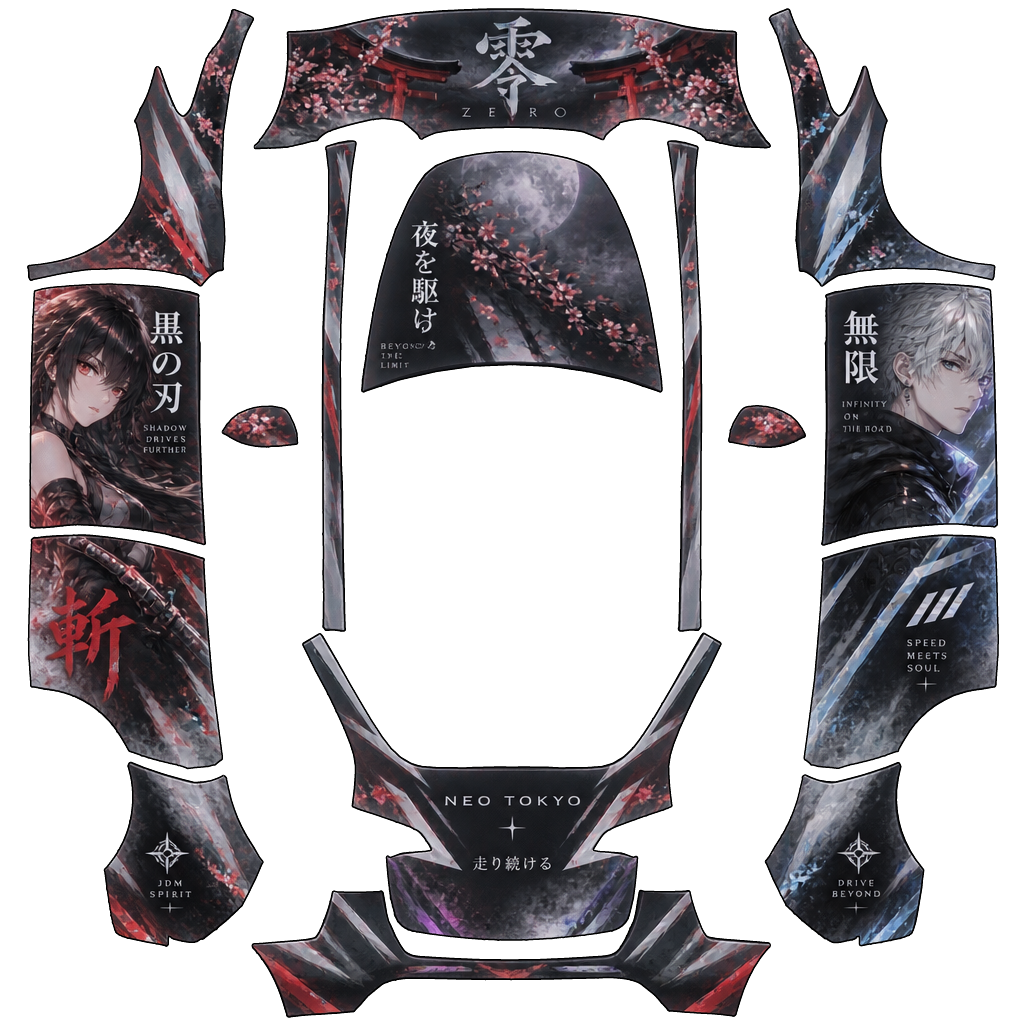
Anime Tesla Model Y Wrap PNG
Anime is a Tesla Model Y (Legacy) wrap design by 尤尤羿, published on Oct 15, 2026. Explore the texture and 3D preview, download the artwork, or use it as a starting point for your own colors and graphics.
Created by
尤尤羿
AI prompt used for this wrap
整体风格为高端改色膜质感结合日系动漫美学,车身以 3–4 位高颜值日漫人物为主视觉,人物随机设定为冷酷剑士、白发神秘少年、赛博风少女、优雅御姐战士,大幅立绘沿左右车身流畅排布,与车门、翼子板和尾部线条自然融合;搭配低饱和霓虹光效、金属反光、烟雾、能量轨迹、细腻几何拉花和少量日文标题字。主色调采用哑光黑、曜石灰、深钛银作为底色,局部加入暗红、冰蓝、紫色渐变点缀,整体视觉高级、克制、干净,不做廉价贴纸感,强调豪华、运动、未来感和真实车衣材质表现,适合实车改装展示图,前 45 度视角,高细节,专业汽车摄影风格。
Use this wrap on your Tesla
Paint Shop changes the vehicle visualization on your screen, not the physical paintwork. Match the model, year and template before importing.
Import your design
- 1Download the matching texture. Check that it is a PNG, 512 × 512 to 1024 × 1024 pixels and no larger than 1 MB. Convert other formats first; renaming the extension is not enough.
- 2Create a Wraps folder at the root of a USB drive and copy the PNG into it. Connect the drive to a data-capable USB port in your car.
- 3Open Toybox → Paint Shop → Wraps on the vehicle screen and select the design. Available controls depend on vehicle software.
USB and file checklist
- Use exFAT, FAT32 on Windows, MS-DOS FAT on Mac, ext3 or ext4. NTFS is unsupported. Back up the drive before formatting, which erases its contents.
- Names allow up to 30 letters, numbers, spaces, underscores or dashes. Keep Wraps at the drive root. Do not include map or firmware updates on the same drive.
- Alternatively, use Creations → Wrap → Upload in Tesla app 4.59.0 or later. The app and USB drive each support up to 10 wraps.
Check the downloaded file against these requirements. A website preview does not confirm in-car compatibility.
Tesla templates and full requirementsMore Model Y wraps
The latest public designs for the same vehicle.
Loading gallery…